

A useful AI video prompt describes what the viewer should see happen, from the first frame to the final position. Start with the subject and setting, add one main action, define the camera, then state what must stay unchanged. Match the request to the model’s supported inputs. This guide explains that structure and applies it to ten original planning examples, with a repeatable way to review each attempt.
What Can a Video Prompt Control?
A prompt can describe subjects, actions, framing, light, style, and sound direction, but its words are interpreted by a selected model. Reference support, available duration, editing features, and output settings vary. A request for a function in the text does not add that function to a model that lacks it.
Separate an instruction from a result. “Preserve the label” is a requirement you will check, not evidence that the label stayed correct. The same distinction applies to character identity, contact between objects, camera travel, and synchronized sound. Write the review conditions before you generate so acceptance does not depend only on whether the clip looks impressive.
Input | What it contributes | What still needs review |
|---|---|---|
Starting frame | Composition and visible appearance | Drift during movement |
References | Identity, product, location, or style | How the model uses each asset |
Prompt | Action, camera, and fixed conditions | Whether the event actually occurs |
Model settings | Supported duration and output choices | Whether they fit the planned shot |
How to Structure a Strong AI Video Prompt
Start with the Visual Rule
State the broad look once: photoreal product footage, clean inked animation, or an observational scene. Include the aspect ratio if it matters and is supported. Keep the rule compatible with the reference; a photographic frame and a request for flat ink animation may require a deliberate style-conversion step first.
Describe One Scene and Its Subject
Name who or what is in frame and where the scene happens. When an approved image already establishes the balloon or performer, point to that input rather than inventing a second description. Keep location and recurring props separate from the subject so they remain easy to check.
Pin Down the First Frame
Describe the position before the action begins. A hand already resting away from a cup cannot visibly set it down. A balloon already outside the frame cannot begin a clear ascent from the valley. The opening image needs to contain the physical starting state required by the requested event.
Write the Action as a Sequence
Use observable verbs and an endpoint: rises, pauses, touches, releases, then stops. “He enjoys the music” describes an interpretation. “He turns toward the violin and studies its strings” describes behavior, although it is also a more demanding generation. Begin with the smallest action that communicates the idea.
Define the Camera Independently
State whether the camera stays still or travels. For a moving camera, add its route and final framing. Do not ask for a dolly, orbit, zoom, and cut in the same short shot unless that complexity is necessary and supported. Camera motion should make the action clearer rather than compete with it.
Keep Physics and Light Concrete
Describe the contact, weight, or environmental movement that could otherwise become ambiguous. The cup base touches the table; the balloon fabric keeps its shape; kelp sways beneath the water. Keep the main light source and its direction stable unless a visible event changes it. Avoid asking every object in the scene to move at once.
Specify Sound Only Where It Belongs
Decide whether the shot needs ambience, effects, speech, or no generated sound. When the model supports audio, describe the intended sound clearly. Otherwise prepare it separately and add it in the edit. A sound instruction in a video prompt is not a guarantee of native audio or lip synchronization.
Name the Few Changes That Would Spoil the Shot
Keep exclusions tied to the actual failure risk: no product rotation during an orbit, no new objects, or no cuts in a continuous action. A long generic negative list can obscure the main event. Resolve contradictory positive instructions before adding more exclusions.
Ten Prompt Examples in Practice
Each example below contains a scene brief and an acceptance check. Attach the relevant approved image where supported, choose a model that accepts the input, and adapt the wording to the actual scene. These are original starting points for review, not measured demonstrations or guaranteed recipes.
1. Balloon Ascent from a Fixed View
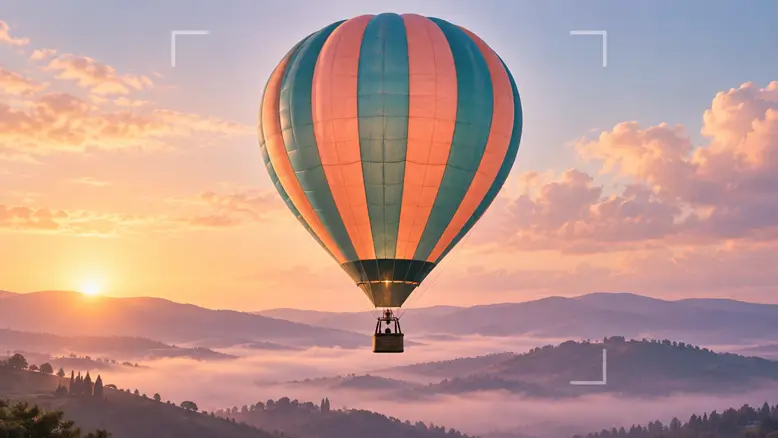
Photoreal valley at sunrise. The teal-and-coral balloon rises slowly from just above the lavender ridge while the camera stays fixed. Keep the complete envelope and basket visible. Preserve the fabric pattern, basket shape, soft light, and distant hills. End with a short steady hold. No spinning, sudden expansion, new balloons, or cuts.The action belongs to the balloon while the camera provides a stable comparison. Check its fabric pattern, basket shape, and separation from the ridge throughout the ascent. If the envelope stretches or the landscape rises with it, revise the motion brief before adding a more elaborate flight path.
2. A Prop That Makes Contact
An adult hand holds a small blue ceramic cup just above a pale cafe table. Lower it until the base touches the surface, release the handle, and withdraw the fingers. The cup stays planted beside a folded napkin. Fixed camera, one continuous action. Preserve the ceramic shape, table edge, and morning light.The starting frame must show the hand holding the handle, with enough separation to read the action. Review contact and release in the middle of the clip. An accurate opening and ending can still conceal an impossible transition between them.
3. A Small Character Reaction
Medium close-up of an older adult violinist in a rehearsal room. He notices a folded score to his left, pauses, and turns his gaze toward it. Keep his head movement small and expression restrained. Camera remains still. Preserve his face, gray hair, burgundy shirt, light, and background. No playing or new objects.A reaction needs a visible trigger and a readable response. Keep the performance narrow enough to inspect the face during movement. If the gaze goes in the wrong direction, correct the spatial brief rather than asking for a stronger emotion.
4. Tracking a Cycling Subject
An adult cyclist rides slowly along a straight forest path, wearing a turquoise jersey and a white helmet. The camera travels parallel beside the bicycle in a medium side view. Keep a similar distance while trees pass behind. Preserve the rider, frame, and wheel geometry. No orbit, cuts, jumps, or extra gestures.The cyclist and camera have different jobs. Watch pedal motion, wheel contact, relative distance, and background movement together. Keep difficult steering and hand interactions out of the same attempt until the cycling and tracking relationship is usable. A simple straight route makes the first test easier to review.
5. Environmental Motion in a Locked Frame
Wide locked underwater shot of a quiet kelp bed in clear shallow water. A few fronds sway gently with the current while the rocks and seabed stay fixed. Soft blue-green daylight, no divers, no camera travel, no changing rock shapes, no sudden storm or floating debris.A quiet environment can establish place and pacing without another character generation. Check that the motion stays where it belongs. Rocks that drift with the kelp, or a seabed that reshapes as the fronds move, break the spatial logic. Review the fixed anchors separately from the moving leaves.
6. Subtle Motion in an Original Storybook Illustration
Animate the supplied watercolor storybook illustration with restrained movement. An adult fox character in a green waistcoat gently lifts its gaze toward one falling leaf. Keep its seated pose, fur pattern, watercolor texture, forest clearing, and framing unchanged. No new camera angle, lettering, extra animals, or changes in rendering style.The intended output is a moving version of this illustration, not a redesigned character. Review the muzzle, eye shape, watercolor edges, and waistcoat through the movement. If the style drifts, reduce the action or return to a clearer source illustration before trying another generation.
7. Food Atmosphere Without an Invented Demonstration
Close view of a prepared bowl on a wooden table. A light trace of steam rises slowly while the bowl and ingredients stay still. Camera locked. Preserve the ingredient positions, bowl shape, and existing window light. No pouring, utensils, hands, changing food quantity, or added text.This illustrates atmosphere rather than a cooking result. Use a source image whose appearance supports the request, and avoid turning generated motion into a factual claim about temperature, freshness, taste, or product performance.
8. An Ad Background with Space for Text
The teal-and-coral balloon remains on the left side of a pale sunrise sky. Make a slow, small upward drift while leaving the right third clear. Preserve the fabric pattern and soft morning light. No generated letters, logos, additional balloons, sudden weather changes, or cuts. Finish on a stable composition.Leave copy space in the image instead of asking the model to create a readable offer. Add verified wording during editing. Check that the balloon stays out of the reserved area and that the chosen crop still shows its basket, without inventing flight performance or a destination claim.
9. A Shot Planned Around a Spoken Line
Medium shot of the referenced adult speaker in a quiet room. Keep the pose relaxed and the camera fixed, with space to hold the frame for the prepared voice track. Preserve the face, clothing, and light. Use only the speech and synchronization functions actually supported by the selected workflow.Prepare and time the permitted voice track before making a full speaking sequence. This brief does not establish that a given model can lip-sync an uploaded voice. Verify that capability first, or choose voiceover with appropriate non-speaking footage.
10. A Continuity Bridge Between Two Shots
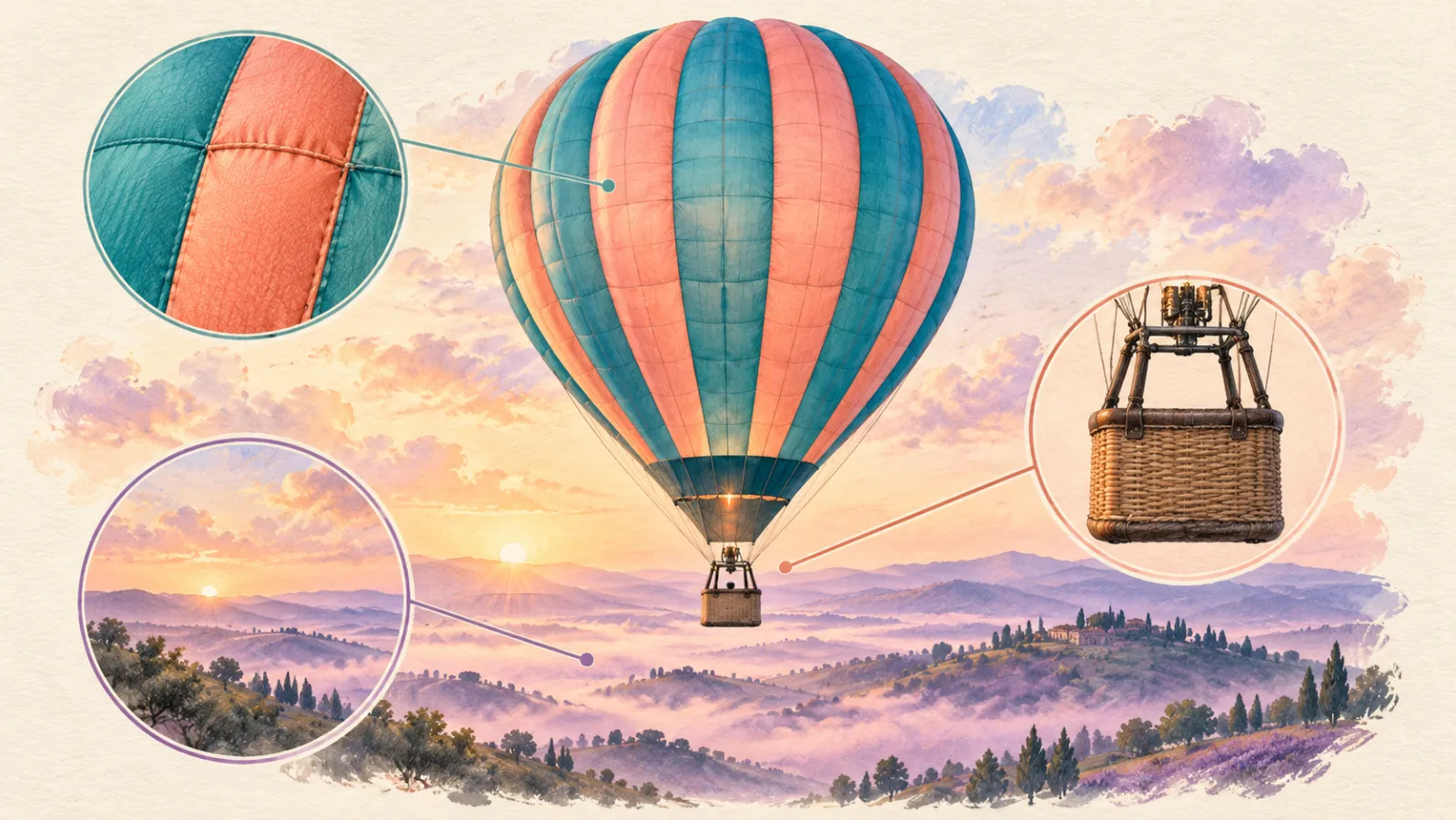
Close-up of the wicker basket beneath the referenced teal-and-coral balloon. Hold a steady view while the distant lavender hills move gently behind it. Preserve the ropes, basket weave, fabric colors, and existing light. No new passengers, basket rotation, broken ropes, added objects, or transformation.A quiet insert can give the edit breathing room and connect two wider flight shots. Compare its rope positions, fabric colors, and light with both neighboring views. This bridge should belong to the same balloon scene, not simply provide an attractive close-up of an unrelated basket.
Use the Prompt Structure in PixTV
Prepare the approved starting frame with image generation, keeping the original source beside it. In video generation, check the model’s input support, available duration, and output settings. Keep the references, prompt, and accepted take together on the canvas so revisions use the intended asset.
Use the video generation workspace for the first controlled test rather than making a full batch immediately. Test the most difficult contact, face, or camera move early. A short failed test can reveal a problem in the starting frame before that problem spreads across a sequence.
After accepting the motion, use video editing to trim timing, add accurate text, and assemble the shots. Prepare sound separately when the generation workflow does not provide the required audio controls. Keep publishing decisions separate from whether a single clip looks good.
What to Record When You Test
Record the source frame, prompt version, model, relevant settings, attempts, and acceptance result. Name the failure in observable terms: fingers merge into a cup handle, the camera cuts early, the balloon fabric changes pattern, or the performer looks away from the intended target. Change one relevant input for the next attempt.
Compare the accepted clip with the production brief and its neighboring shots. Do not call a prompt reliable because one attractive take happened to appear. The useful question is which conditions produced material that passed review, and how much rejected work was required to get it.
Write and test your next video brief in PixTV
Questions About This Workflow
What should an AI video prompt include?
Include the subject, setting, starting position, action, camera direction, and elements that must stay fixed. Add sound direction where supported. Match the approved frame and the selected model’s actual input capabilities.
How long should the prompt be?
Use enough detail to remove important ambiguities. A simple shot can take a few sentences; a connected sequence needs clear boundaries and continuity rules. Length alone does not establish coherent instructions or accurate output.
Should I write one prompt for the entire film?
A shot list followed by separate shot briefs is usually easier to review and repair. If a model supports multi-shot generation, test its transitions first. Do not assume that pasting a complete script will produce an editable finished film.
Do reference images replace the prompt?
References establish visible assets, while the prompt explains the event and intended movement. Use both deliberately where supported. A detailed reference does not tell the model when a hand should release an object or where the camera should finish.
Should I add a long negative prompt?
Begin with the few unwanted changes that would spoil the shot. Resolve conflicting action, camera, and starting-frame instructions first. A generic list of exclusions cannot repair a scene whose opening position makes the requested action impossible.
How do I improve a failed generation?
Find the earliest visible failure, decide which input could explain it, and change that input while keeping the others stable. Record the result. If the same limitation persists, simplify the task or choose a workflow better suited to it.
Illustrations are original OpenAI-generated planning concepts, not PixTV screenshots or video results. Prompts and production plans are illustrative; no measured success rate or completed PixTV production is claimed.
