

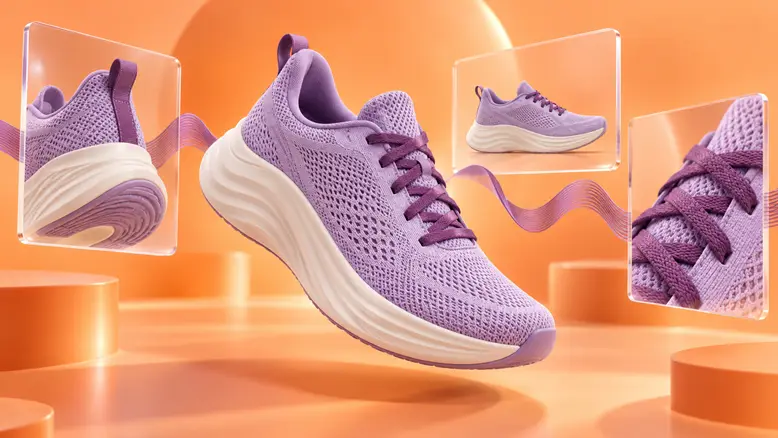
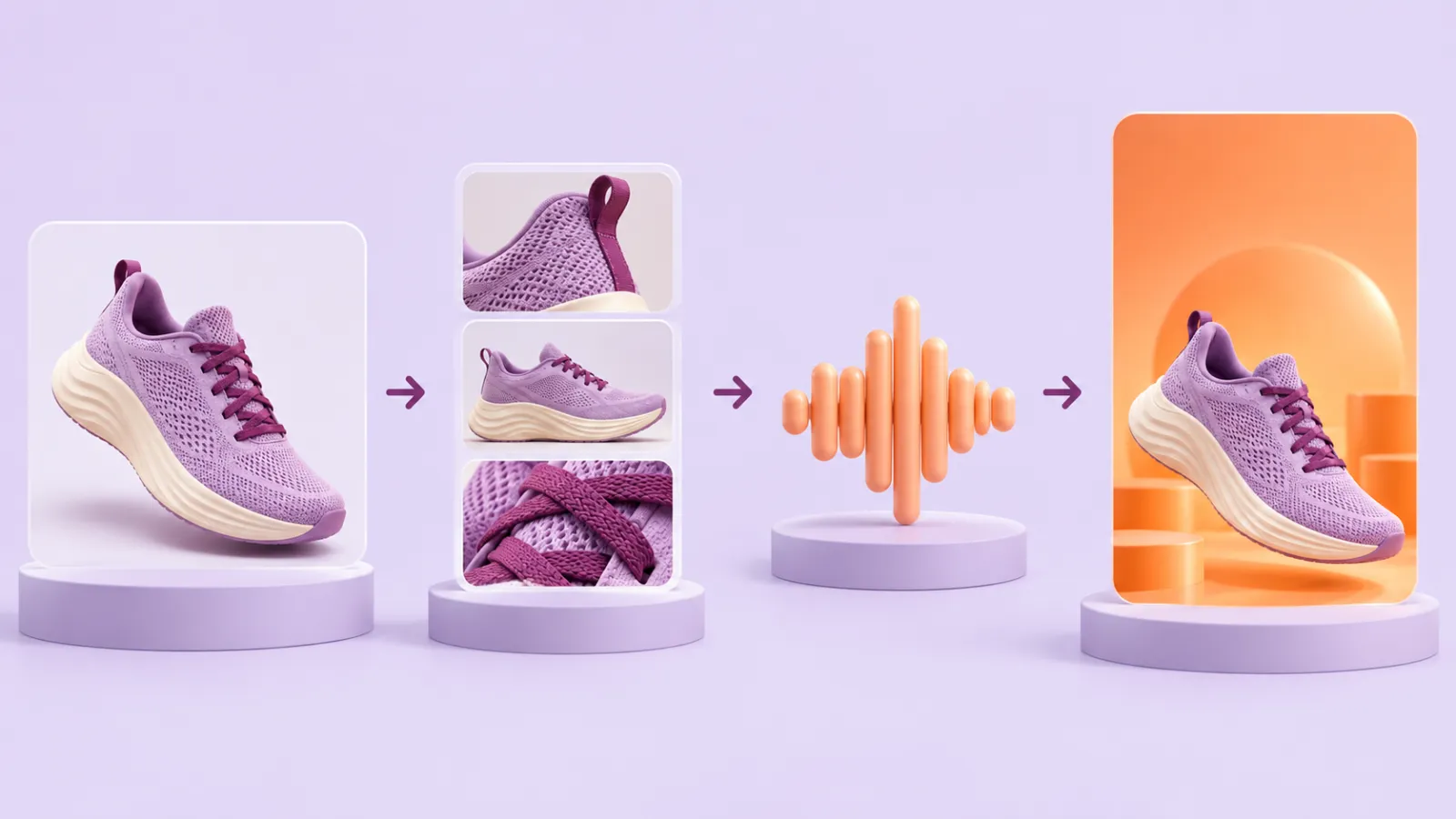
An AI video workflow begins with a production brief, approved reference assets, and a plan for the final edit. Build the sound first when a voice track determines timing; otherwise plan the visual beats before generating motion. Keep accepted assets together, generate and review the shots, then assemble the finished sequence. PixTV’s canvas brings image, video, and audio work into the same project context.
How Many Stages Does an AI Video Need?
A finished video usually needs more than a generation prompt. Reference preparation establishes the subject; storyboarding decides the order; generation supplies movement; review rejects unusable material; editing gives the sequence timing and sound. Keeping those responsibilities clear makes a weak shot easier to diagnose.
The useful handoff is the approved asset. Passing every discarded image forward makes it harder to know which face, product, or location the next shot should follow. Give the accepted reference a clear name and keep earlier approved versions available.
Which PixTV Tools Cover Each Stage?
Stage | Input | Output to approve |
|---|---|---|
Images | Brief and source assets | Reference and starting frames |
Storyboard | Story beats and references | Shot order and compositions |
Video | Approved frame and action brief | Usable clips |
Audio and edit | Accepted clips and sound plan | A coherent sequence |
Use image generation to prepare references and starting frames. Choose a video model by its actual supported inputs and output options. A shared workspace does not mean every model accepts the same assets or exposes the same controls.
The Full Workflow Step by Step
1. Define the finished deliverable
Set the audience, message, runtime, and aspect ratio. Our planning example is a three-shot sneaker campaign: establish the side profile, show the heel stitching, and finish on tied laces with room for a message. The motion supports the material details rather than introducing another story.
2. Approve the reference assets
Keep the original photograph beside the generated starting frame. Check shape, color, material, and any label before accepting it. The approved frame becomes the reference for that shot; the original remains the source of truth.
3. Decide whether sound sets the timing
For narration, record or prepare the permitted voice track and time the delivery before generating the full sequence. For the quiet product reveal, audio generation can supply ambience later. Do not stretch a performance merely to fit an arbitrary clip length.
4. Generate and review one shot
Start video generation with the shot carrying the greatest risk, such as a close-up or hand interaction. Review the complete action, save the accepted take, and record what changed after a rejected attempt. Apply the proven setup to the remaining shots.
5. Assemble and finish
Keep a small production record beside the assets: shot number, approved frame, selected model, sound dependency, and accepted take. If a voice line changes, this record shows which shots need new timing. If a product image changes, it identifies the dependent shots without forcing a complete restart.
Separate approval from availability. A file appearing on the canvas only means it exists; it does not mean its face, label, or motion is ready for publication. Mark the accepted version clearly, and keep rejected experiments outside the set used to guide the final sequence.
Use video editing to arrange and trim the clips. Check visual continuity before adding music, then review the sound across cuts. Export to your usual editor when finishing requires controls beyond the available workspace.
Estimate the Cost of the Whole Workflow
Budget for reference attempts, video attempts, corrections, sound, and editing time. Three usable shots at an assumed three attempts each means nine video generations, not three. Apply the current displayed price for each setting; this example does not imply a tested success rate.
Who This Workflow Suits
A marketer can reuse approved product assets across ad ideas. A comic creator can keep character and style references together. A short-film creator can track continuity across scenes. Each uses a different brief, but all benefit from knowing which assets have passed review before the next stage starts.
Build your next video workflow in PixTV
Questions About This Workflow
Can all stages happen in one workspace?
PixTV provides image, video, audio, and editing entry points around its canvas. The exact path depends on the selected models and available controls. Keep the workflow connected, and use an external editor when a finishing task requires it.
Should audio always come first?
Put audio first when a spoken performance determines shot timing. For a silent product reveal or observational scene, the visual action may set the rhythm instead. Make this decision before generating a full batch so timing changes do not multiply.
Do I need a storyboard for a short video?
A brief shot list can be enough for a simple sequence. Write the framing, action, and purpose of each shot. Visual frames become useful when the spatial relationship or continuity would be difficult to judge from words alone.
When should I switch models?
Switch when the current model cannot support the input or action the shot needs, or when repeated review shows a persistent limitation. Keep the approved assets and comparison conditions stable so the change gives useful information.
How should I track production cost?
Record the model, settings, price, number of attempts, and reason for rejection. Include reference preparation and finishing. Compare the total cost of accepted material rather than the advertised cost of a single generation attempt.
What should I check before export?
Review subject identity, product shape, location geography, light direction, shot order, and sound continuity. Confirm that text is accurate and the aspect ratio fits the destination. A coherent sequence matters more than a collection of impressive isolated frames.
Illustrations are original OpenAI-generated planning concepts, not PixTV screenshots or video results. Prompts and production plans are illustrative; no measured success rate or completed PixTV production is claimed.
