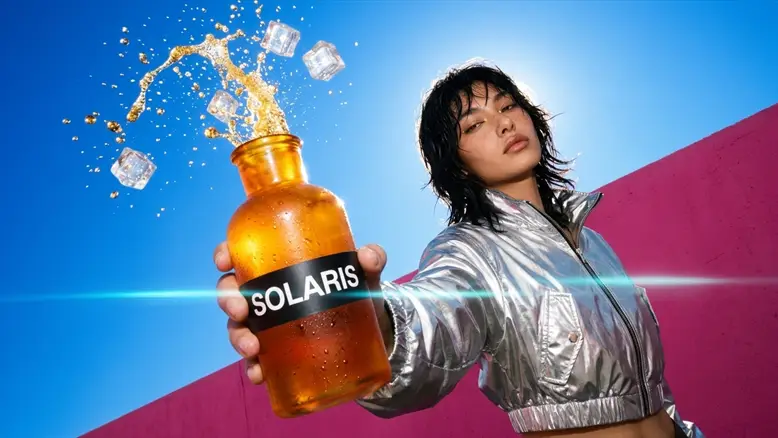
Paid social feeds do not forgive slow setups. Whether you are running Meta Reels, TikTok Spark Ads, or YouTube video campaigns, viewers decide within two seconds whether a clip looks like a credible brand spot or generic AI filler. Building ads inside an AI marketing video generator works best when you stop prompting whole 15-second commercials in a single roll and instead direct three distinct conversion beats: a sensory hook, a locked talent-and-product proof shot, and a clean typographic end-card.
Below is the exact three-beat production blueprint we use on PixTV's infinite canvas—using a fictional cold-brew beverage campaign (SOLARIS Espresso Tonic) to show how to keep frosted amber glass, labels, cast styling, and sound cohesive across cuts.
Why Single-Prompt Video Ads Fail Paid Social Creative Checks
Media buyers usually reject AI ad drafts for three fixable reasons:
Ad Creative Failure | What Causes It in AI Workflows | How to Fix It on PixTV's Canvas |
|---|---|---|
Weak 3-second thumbstop | Opening on a static wide shot with slow movement | Open on tight macro physics—liquid pour, condensation, tactile hand contact |
Brand label & talent drift | Asking a text-to-video model to invent packaging mid-motion | Lock a crisp product-and-talent plate in Seedream 5.5 first, then animate via Seedance 2.5 ( |
Garbled end-card offer text | Letting a video model hallucinate promotional typography | Render crisp English offer copy on the final still frame before adding subtle ambient motion |
Beat 1 & Beat 2: Pair a Tactile Sensory Hook (0:00–0:03) With Locked Talent & SKU Continuity (0:03–0:10)
The strongest opening hooks show an immediate physical change—dark espresso cascading through sparkling tonic ice—followed immediately by a mid-ad cut where the talent holds that exact same bottle without label or wardrobe drift. Staging both plates from one locked SOLARIS bottle reference keeps glass tint, matte-black label kerning, and the model's metallic silver moto windbreaker cohesive across cuts:
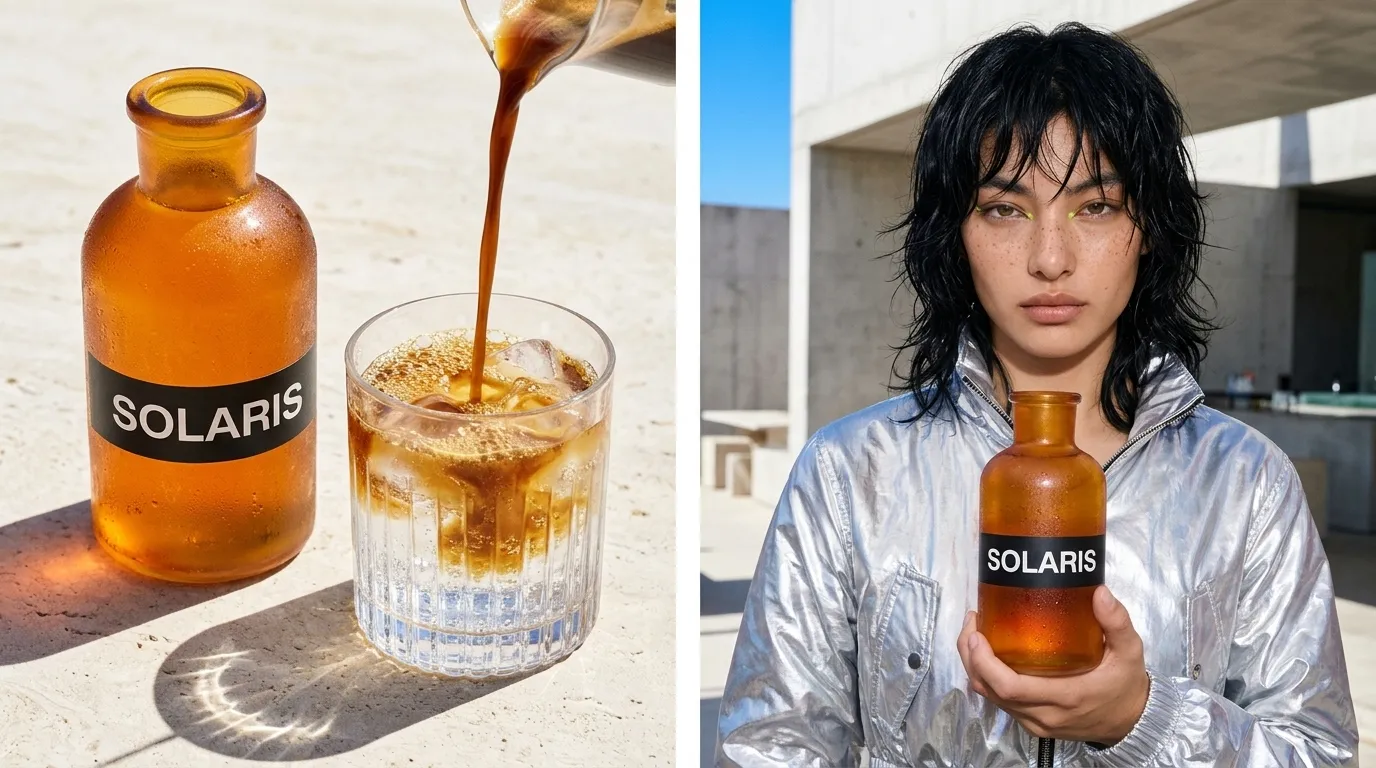
2-panel commercial beverage continuity study, 16:9 widescreen. Left panel: frosted amber apothecary bottle labeled "SOLARIS" beside a chilled fluted crystal glass filled with clear ice cubes as dark espresso pours into sparkling tonic water with golden sunlight caustics. Right panel: medium close-up of the same Mediterranean-European model in a metallic silver cropped moto windbreaker holding the identical frosty "SOLARIS" bottle in crisp sunlit architectural light.
Once your starting frames look sharp, connect the pour frame to Seedance 2.5 (720p, native audio enabled for fast, credit-efficient creative testing) with a focused motion brief:
Slow-motion macro push-in as dark espresso swirls downward through clear ice cubes and rising effervescent tonic bubbles. Subtle sunlight shimmers across the wet glass while the frosted SOLARIS amber bottle beside it remains completely sharp and stationary.
(If your SKU geometry ever warps during motion, follow our product drift troubleshooting checklist.)
Beat 3: Anchor the Offer with a Crisp Static-Text End Card (0:10–0:15)
Never ask a video model to spell promotional slogans from scratch during a camera pan. Generate your end-card keyframe in Seedream 5.5 with explicit negative space and quoted English copy:
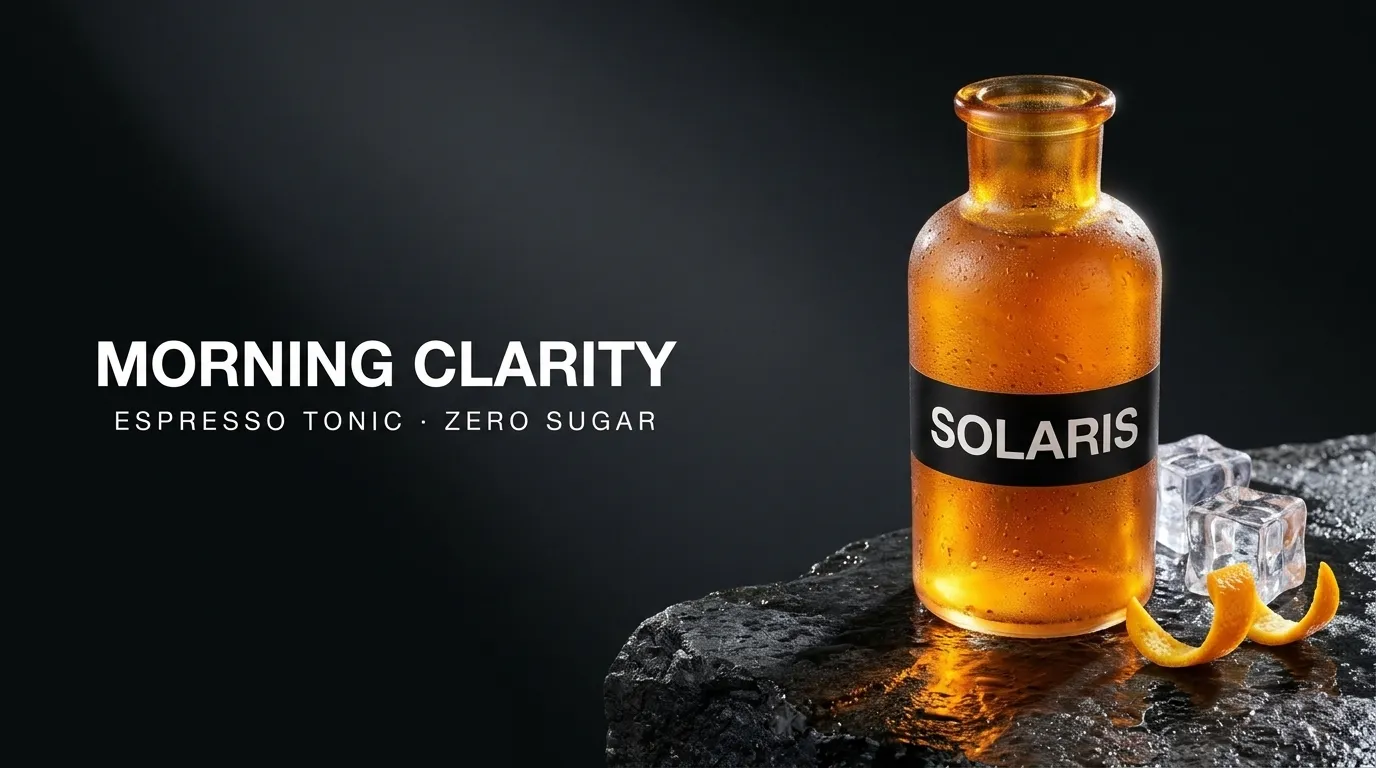
Minimalist luxury 16:9 beverage ad end-card. Frosted condensation-beaded amber apothecary bottle labeled "SOLARIS" standing on dark wet volcanic basalt stone beside clear artisanal ice cubes and fresh orange peel on the right. Clean dark charcoal left negative space featuring bold crisp white sans-serif headline "MORNING CLARITY" above smaller tracked-out subtext "ESPRESSO TONIC · ZERO SUGAR". Directional studio rim lighting and warm amber caustics.
Connect that approved frame into Seedance 2.5 or Kling 4.0 (720p) using a locked-off camera prompt—letting gentle condensation glisten and subtle cool mist drift across the wet basalt while "MORNING CLARITY" stays razor-sharp.
Multiplying Ad Variations Without Multiplying Production Cost
Once those three nodes sit on your PixTV canvas, media buyers can test new angles without rebuilding the middle and end of the ad—pair this setup with our 3-hook A/B testing method and UGC-style ad workflow inside PixTV's AI marketing video workspace.
Frequently Asked Questions
Which AI video model and resolution on PixTV work best for social video ad testing?
Use 720p as your default production resolution to test multiple hooks efficiently without burning 1080p credits prematurely. Pair Seedance 2.5 for energetic liquid, food, or human gesture physics with native audio, and Kling 4.0 for smooth, controlled camera glides.
How do I keep brand logos and English packaging text readable in AI ads?
Generate and approve your still product frame first, keep the label facing within 30 degrees of the lens, and prompt gentle push-in or environmental motion rather than 360-degree spins.
Ready-to-Run Shortcuts for E-Commerce & Ad Teams: Turn static product photos into ready-to-post promo clips in one click with PixTV’s Seller Video tool, or upload a winning reference ad into our AI Video Replication tool for one-click subject replacement and shot-sequence recreation.