Choosing an AI image model in late 2026 is rarely about which model makes the prettiest random portrait. For creative teams shipping product ads, posters, and AI video storyboards, the real questions are practical: Which model survives 15 rounds of client feedback without blurring the product? Which one prints clean label text? And when do you actually need 4K over 2K?
Because Seedream 5.5, Nano Banana Pro, and GPT Image 2.6 all run inside the same PixTV image canvas, you do not have to juggle separate subscriptions to use them. Still, picking the wrong model for a specific task wastes both time and credits. Below is how all three stack up across four real production tests—and how to combine them in a single workflow.
The Short Answer: Which Model Wins Where?
If you just need a fast decision before opening a canvas, here is the verdict from side-by-side production runs:
Category | Winner on PixTV | Why It Wins |
|---|---|---|
10–50+ Round Sequential Edits | Seedream 5.5 | Locks untouched regions at the pixel level without progressive face or background blur |
Native RGBA Glass & Layer Split | Seedream 5.5 | Cleanest semi-transparent alpha edges (glass, splashes, sheer fabric) + layer decomposition |
Multilingual Poster & Label Text | Seedream 5.5 | Highest first-pass accuracy on dense packaging copy and English/CJK layouts |
Native | Nano Banana Pro (tie: GPT Image 2.6) | Seedream 5.5 caps at |
10–14 Multi-Reference Casting | Nano Banana Pro | Strongest spatial reasoning when blending a large cast + multiple prop references |
Mask Inpainting & Animated GIFs | GPT Image 2.6 | Dedicated mask/layer inpainting and animated GIF output |
Low-Cost Iterative Drafting | Seedream 5.5 |
|
Full Spec Comparison on PixTV
Feature | Seedream 5.5 (ByteDance) | Nano Banana Pro (Google Ecosystem) | GPT Image 2.6 (OpenAI) |
|---|---|---|---|
Max Resolution on PixTV |
|
|
|
PixTV Credit Cost (Seedream) |
| Tiered by resolution in canvas | Tiered by |
Reference Image Capacity | Up to 10+ references | Up to 14 references (objects + cast) | Up to 10 references |
Transparency (Alpha Channel) | Native full & partial RGBA + layer split | Standard raster workflow | Native transparent PNG support |
Best Companion Video Node | Seedance 2.5 / Kling 4.0 ( | Kling 4.0 / MiniMax H3 (wide cinema plates) | Seedance 2.5 / clip restaging |
4 Side-by-Side Production Tests
To keep the comparison fair, we tested scenarios that commercial teams run every week rather than abstract art prompts.
Test 1: Multi-Turn Revision Stability (10+ Edits on One Frame)
The brief: Start with a portrait of a female barista holding a matte ceramic cup, then run eight consecutive edits—swapping her apron color, changing background shelving, shifting daylight to warm evening tungsten, adding steam, and placing a promotional badge—without changing her facial identity or the cup's geometry.
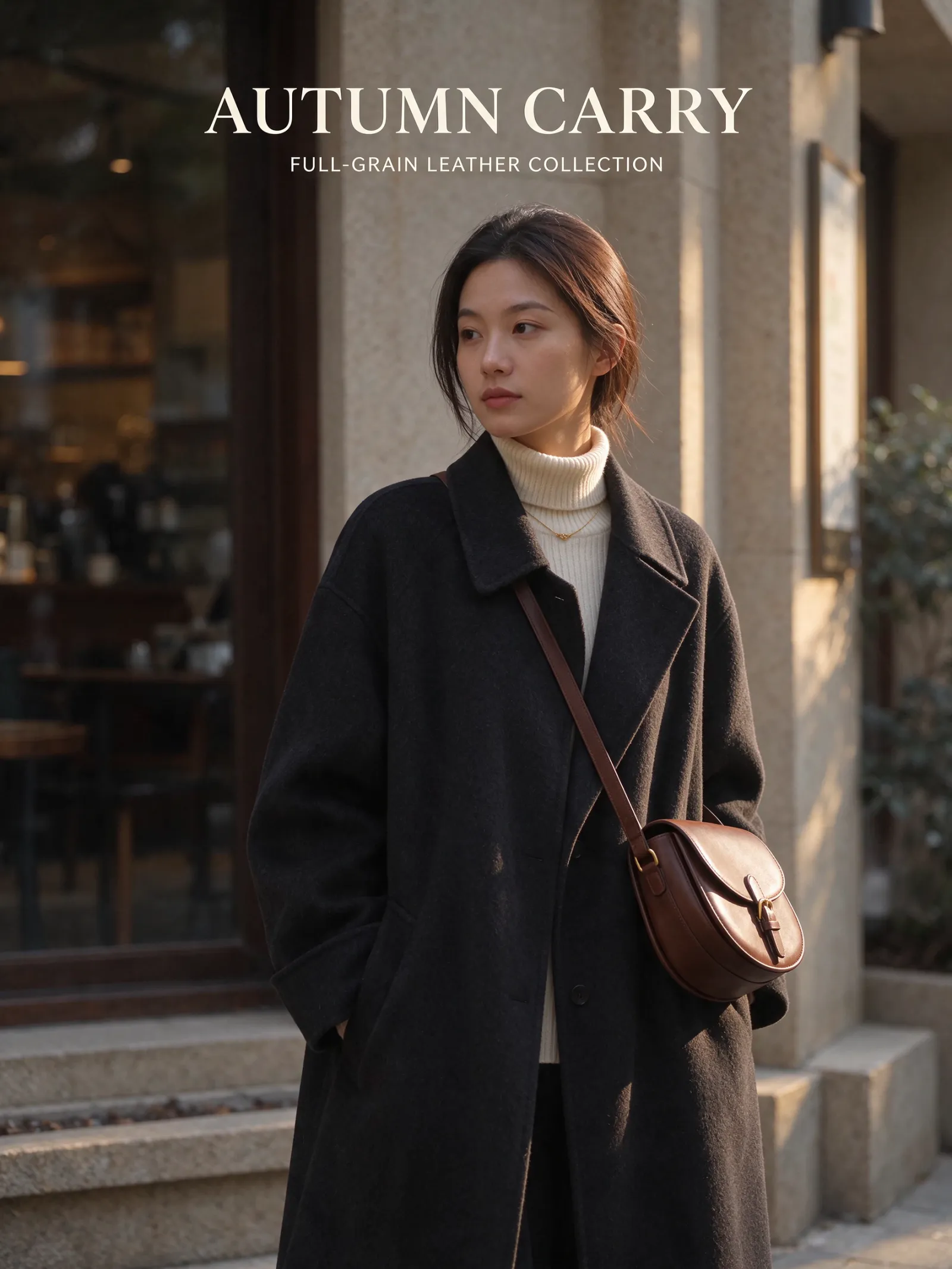
Seedream 5.5: Clear winner for long-chain revisions. Untouched facial features and cup proportions stay pixel-steady even after eight to ten prompt adjustments, making
1K(3-credit) revision loops fast and predictable.GPT Image 2.6: Excellent when you isolate a single region using mask inpainting, though unmasked full-frame conversational edits can subtly warm or shift skin tones after several rounds. For dedicated character sheets, see our GPT Image 2.6 character consistency guide.
Nano Banana Pro: Holds character likeness remarkably well across brand-new camera angles when fed reference sheets, but for micro-editing the exact same frame ten times in a row, Seedream 5.5 exhibits less pixel drift.
Test 2: Packaging Labels & Bilingual Poster Typography
The test prompt:
Vertical commercial poster of a chilled sparkling botanical drink can on crushed ice. Crisp metallic green can printed with clean white sans-serif text "VERDANT CLUB" and smaller label text "ZERO SUGAR · LIME & BASIL · 250ML". Bold white headline at the top of the poster reading "CRISP BY NATURE". Sharp commercial lighting, realistic condensation.
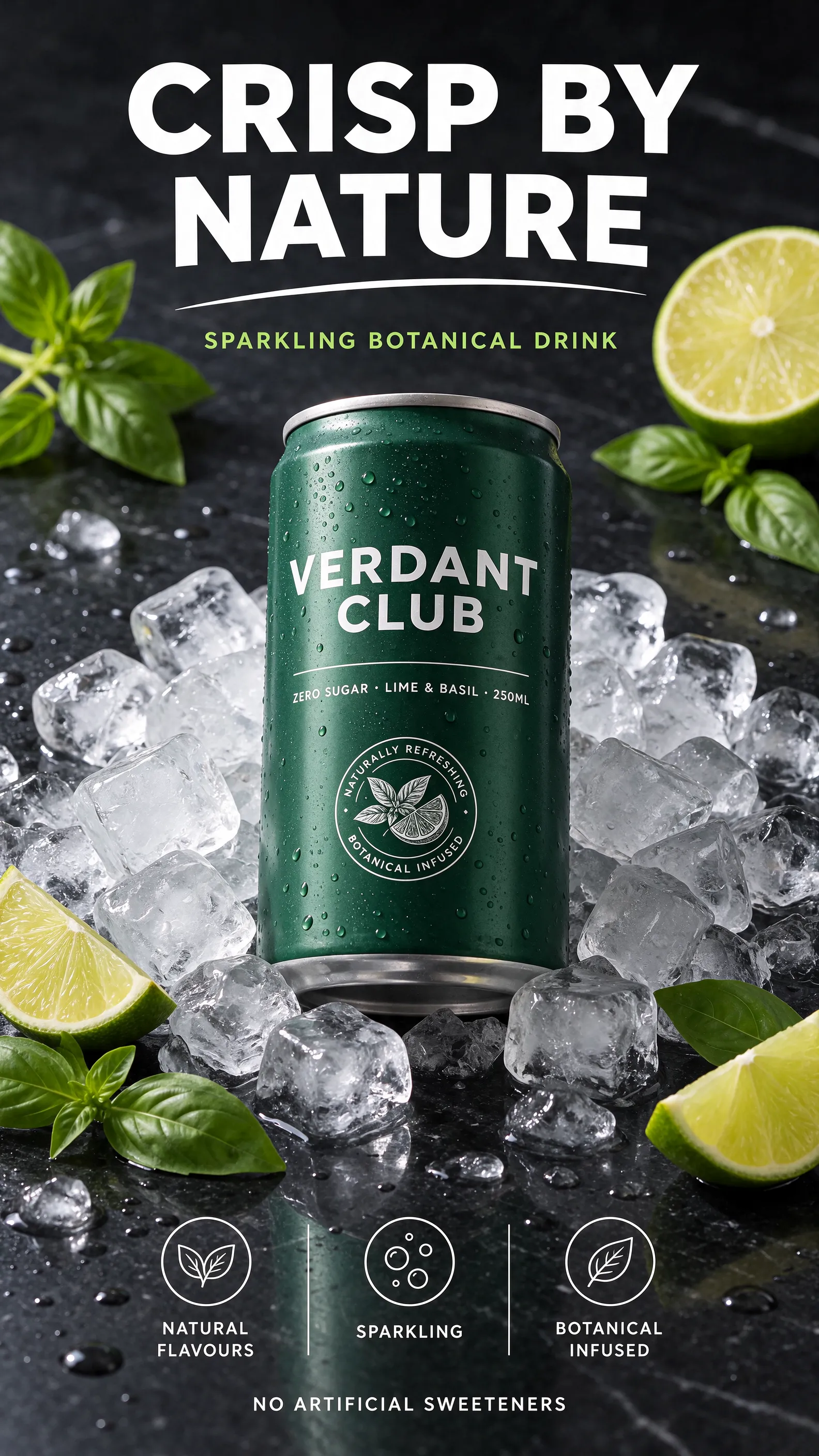
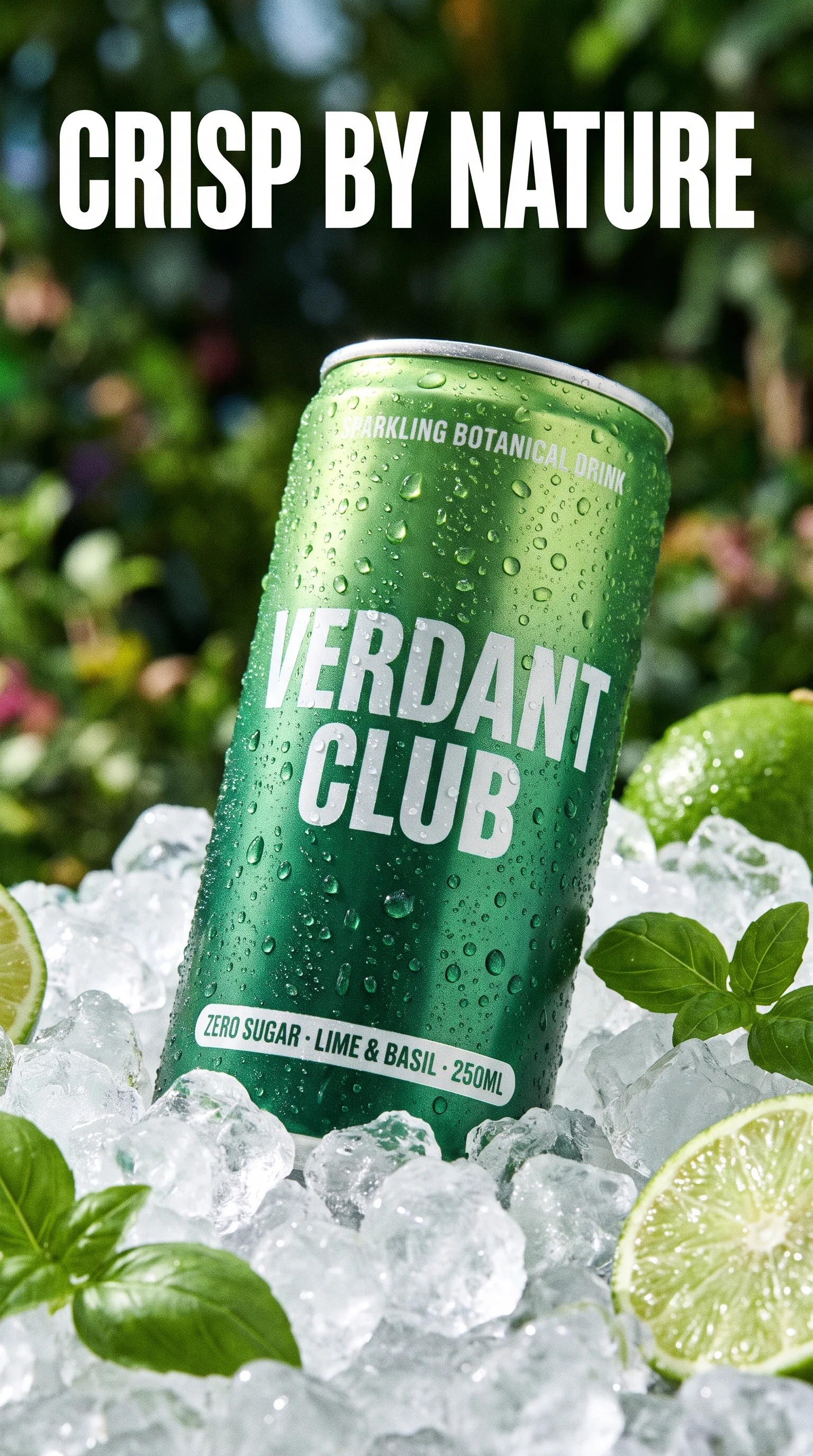
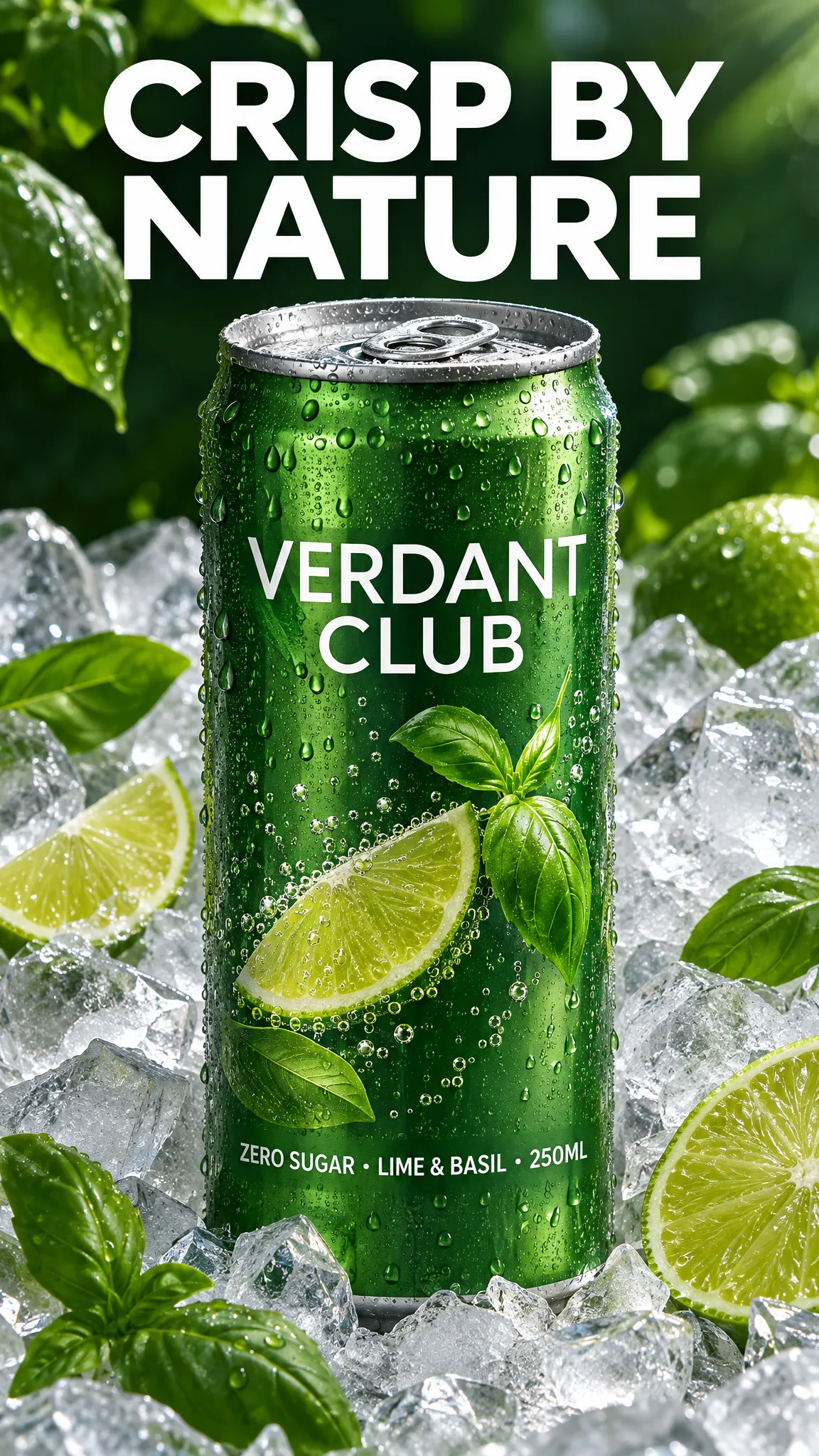
Seedream 5.5: Nails curved can typography and secondary
250MLsubtext with clean kerning, and handles mixed English + Chinese/Japanese headlines with minimal character merging.GPT Image 2.6: Very strong on flat poster headlines and UI badges, occasionally softening tiny curved subtext on cylindrical packaging unless upscaled.
Nano Banana Pro: Produces gorgeous ice physics and photorealistic aluminum reflections, though dense multi-line small print sometimes takes an extra retry compared to Seedream 5.5.
Test 3: Translucent RGBA Cutouts & Layer Workflows
When cutting out solid objects like sneakers or vinyl toys, both Seedream 5.5 and GPT Image 2.6 deliver clean transparent PNGs.
The gap opens up on semi-transparent materials—perfume glass, tinted sunglasses, water splashes, smoke, or sheer tulle—and multi-layer poster composites:
Choose Seedream 5.5 when you need partial alpha refraction that drops cleanly onto any colored backdrop in Figma or Photoshop, or when you want to decompose a scene into separate foreground and background layers.
Choose GPT Image 2.6 when you also need native animated GIF stickers from the same asset style.
Test 4: Resolution Ceiling (2K vs. Native 4K)
Here is the honest trade-off where Seedream 5.5 steps back: Seedream 5.5 maxes out at 2K on PixTV.
For 90% of digital video and ad work—TikTok/Reels vertical short dramas, Meta carousel ads, marketplace listings, and
1080pstarting frames for Seedance 2.5 or Kling 4.0—Seedream 5.5's2Ktier (5 credits, the exact same price as its1.5Ktier) gives you plenty of sharpness without burning extra credits.When an art director needs a native
4K(4096px) master—either for print signage or so a video editor can punch in 200% on a wide architectural plate without softening—switch to Nano Banana Pro or GPT Image 2.6 right on the same canvas.
How Power Users Combine All Three on One PixTV Canvas
Because PixTV does not lock a project to a single model, the smartest production pipelines mix them instead of treating it as an either/or choice:
Cast & Worldbuilding (
Nano Banana Pro): Establish ultra-detailed4Kenvironment plates or multi-character reference sheets using up to 14 reference inputs.SKU Packaging, Cutouts & Iterative Ad Layouts (
Seedream 5.5): Draft variations at1K(3 credits), run 10+ zero-drift client edits on props, wardrobe, and bilingual copy, and export clean2K(5 credits) frames or RGBA layers.Motion Production (
Seedance 2.5/Kling 4.0): Pipe your approved2KSeedream 5.5 frames directly into a PixTV video node to generate consistent multi-shot ads and short films.
Frequently Asked Questions
Is Seedream 5.5 cheaper to run for iterative edits on PixTV?
Yes. On PixTV, Seedream 5.5 costs 3 credits at 1K resolution and 5 credits at both 1.5K and 2K. Running 10–15 exploratory and multi-turn editing steps at 1K (3 credits each) and only generating your final approved frame at 2K (5 credits) keeps revision costs very low.
Should I use Seedream 5.5 or Nano Banana Pro for AI video starting frames?
Use Seedream 5.5 (2K, 5 credits) when your starting frame includes branded packaging text, requires multiple rounds of prop or outfit adjustments, or composites RGBA product cutouts. Use Nano Banana Pro (4K) when you are building wide cinematic landscapes or complex multi-character scenes from a large reference library.
Can I switch between Seedream 5.5 and GPT Image 2.6 inside the same PixTV project?
Yes. On PixTV's infinite canvas, you can generate or decompose an asset with Seedream 5.5, pass a frame to GPT Image 2.6 or Nano Banana Pro if a specific shot requires 4K output, and connect any frame directly into Seedance 2.5, Kling 4.0, or MiniMax H3 for video generation.