

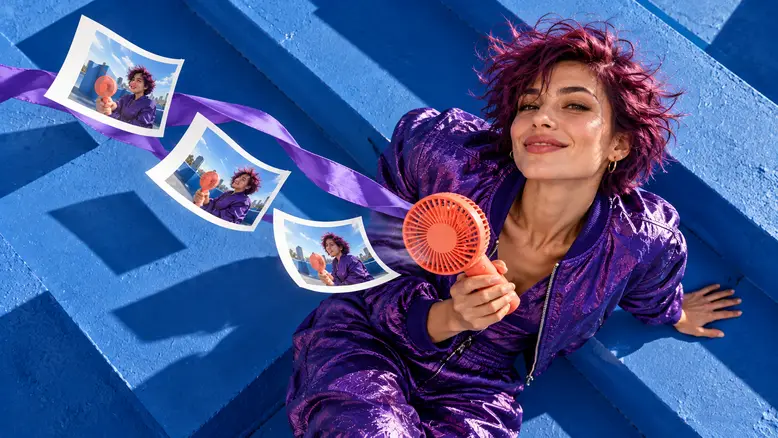
Useful AI video prompt examples tell you what to attach, what moves, what remains recognizable, and what to inspect afterward. This library gives you ten original shot briefs across product coverage, character action, and scene changes. They share one small campaign concept so you can see how the instructions change with the job, instead of copying unrelated scenes into the same project.
What these examples are designed to produce
The campaign follows an adult woman with short plum hair and a violet bomber jacket on a cobalt rooftop. The product is a coral handheld fan with a circular guard and a short handle. Keep that description and your approved reference material consistent as you move between examples.
These are creative briefs for individual shots. They do not assume a particular model, reference limit, audio feature, or automatic multi-shot mode. Select a model whose available inputs match the brief. If a control is unavailable, simplify the shot or move that decision into editing.
Use PixTV image generation to prepare the product and starting compositions. For each example, open video generation only after checking the reference. A prompt cannot reliably resolve a fan whose guard is already broken in the input.
How to adapt a prompt without losing its purpose
Begin with the shot's job. A product detail needs a readable edge or texture; a character action needs a clear beginning and ending; a scene change needs a connection between two pieces of coverage. Changing the object alone does not preserve those relationships.
Name the subject, starting state, main action, camera behavior, and fixed elements. Add light direction when it matters to the composition. Reserve a final sentence for the ending. Use the prompt writing guide if you need to build that structure from scratch.
The examples use one continuous action each. Exact timing belongs to your available duration settings and edit. If a model offers a separate negative field, follow its instructions; the constraints below can otherwise remain part of the normal brief.
| Example | Main purpose | Input to prepare | Main approval check |
|---|---|---|---|
| 1 Product reveal | Introduce the fan | Clean three-quarter product frame | Stable silhouette |
| 2 Material detail | Show the guard | Close view with visible ribs | Consistent geometry |
| 3 Handheld demonstration | Connect person and product | Hand already holding fan | Grip and ownership |
| 4 Product payoff | Leave room for a message | Product with clear surrounding space | Product stays readable |
| 5 Look and react | Make the action understandable | Actor looking toward the fan | Gaze and expression |
| 6 Turn and stop | Connect two positions | Actor beside rooftop wall | Face and wardrobe |
| 7 Press a control | Show a small interaction | Thumb beside one button | Contact and button count |
| 8 Fabric response | Suggest moving air | Collar free from obstruction | Localized cloth movement |
| 9 Doorway connection | Move between spaces | Matching doorway frames | Screen direction |
| 10 Light change | Connect two visual states | Same rooftop in two light plans | Stable location |
Ten prompt examples to build from
1 Reveal the product with a restrained camera move
Prepare a three-quarter starting image showing the whole fan, including its handle. Use a short forward camera move when the product needs introducing. Avoid a full orbit if the input does not establish the unseen side.
One coral handheld fan rests upright on a cobalt rooftop ledge. The camera moves slowly forward at product height. Keep the circular guard, short handle, coral color, and ledge position unchanged. Bright sunlight comes from screen-left, with a soft shadow extending right. The fan stays still. End with the whole product visible and space around its outline. One continuous shot, no extra objects or text.
Check the handle as the framing tightens. If it lengthens or bends, reduce the move or prepare a closer starting image. A stronger reveal should make the same product easier to see.
2 Show material detail without rebuilding the product
Use a close view that already contains the guard ribs and their spacing. A small side move can reveal surface texture, but it also creates new perspective information. Keep the move modest until the geometry holds.
Close detail of the coral fan guard, with its curved ribs and matte plastic surface already visible. The camera makes a small lateral move from left to right. Light glances across the ribs without changing direction. Preserve their spacing and the round outer rim. The product remains stationary. End on a clear surface detail, with no melting plastic, added vents, lettering, or loose parts.
Inspect moving reflections separately from changing structure. A highlight traveling over a rib can be plausible; a rib dividing into two is a design error. Do not approve a macro shot purely because its lighting is attractive.
3 Demonstrate the product in a stable hand
Start with the hand already holding the handle. This removes the difficult pickup and lets the shot focus on a readable relationship between the fan and the person.
Medium close shot of the woman with short plum hair and a violet bomber on the cobalt rooftop. Her right hand already holds the coral fan at chest height. She raises it slightly toward her face and stops. Keep her grip on the short handle, her face recognizable, and the fan guard circular. Fixed camera, sunlight from screen-left. Her left hand stays relaxed at her side. No hand exchange or product transformation.
Watch the thumb and the lower handle through the entire movement. If the grip slips, shorten the lift. You can cut from a lower position to a higher one when the transition matters less than the product presentation.
4 Finish with a clean product payoff
Prepare the composition with room for the intended message. Add actual campaign text in the editor so wording and placement remain editable. The generation brief controls the picture beneath it.
The coral fan stands on the left side of a wide cobalt ledge, its full silhouette visible. A soft rooftop breeze moves a small violet fabric strip in the distant background while the product stays still. Locked camera and steady sunlight. Keep the right side uncluttered for later copy. End with the fan sharp and unchanged. No generated words, logos, additional products, or camera reframing.
For a portrait version, recompose the product rather than simply cropping this wide frame. The single-photo product video guide explains how the main product reference supports different shots.
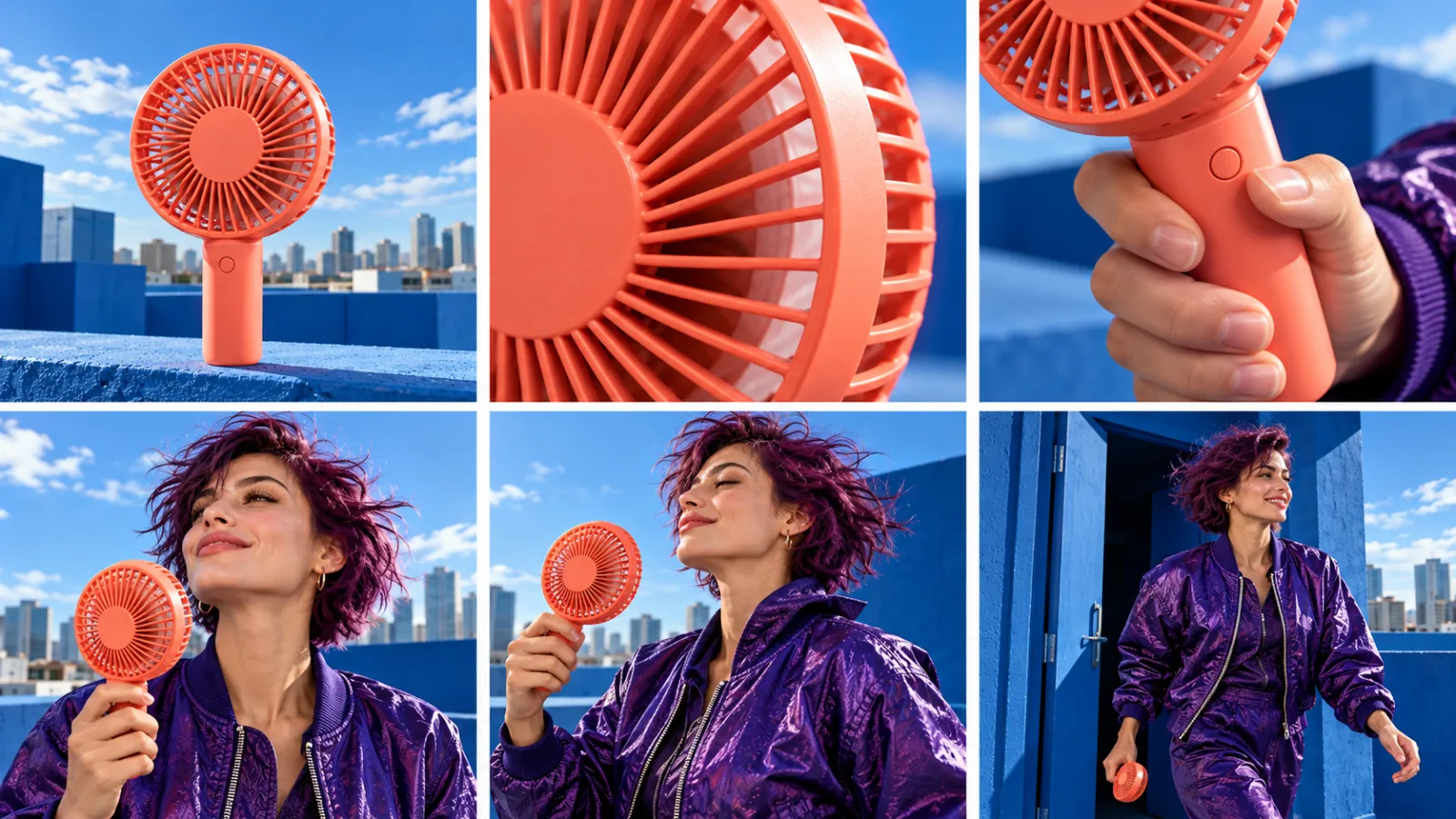
Shot concepts for the same campaign. Product detail, character action, and location coverage require different instructions.
5 Direct a look before asking for a reaction
An expression becomes clearer when the viewer can see its cause. Start with the woman looking at the fan, then give her one small reaction. Avoid a long sequence of incompatible emotions.
Chest-up shot of the woman in the violet bomber, holding the coral fan just below her chin. Her eyes move from the fan toward the open rooftop, then she gives a small relaxed smile. Her head turns only slightly. Keep her short plum hair, jacket, grip, and face consistent. Fixed eye-level camera, bright side sunlight. End with her gaze settled outside the frame. No speech or exaggerated surprise.
Check where the eyes land. If the gaze never reaches the intended direction, simplify the request to the look alone. Add the smile after the basic action is readable.
6 Turn the character while preserving identity
Use a starting image with enough room around the actor's shoulders. A slight body turn can reveal the jacket naturally. A full spin asks the model to reconstruct much more of the person.
Medium shot beside the cobalt rooftop wall. The woman begins at a three-quarter angle, holding the coral fan in her right hand. She turns her shoulders a little toward camera and stops, keeping her feet in place. Preserve her face, short plum hair, violet bomber, and the fan design. The camera stays fixed. Sunlight remains on the same side. End in a stable three-quarter pose rather than a complete spin.
Compare the beginning and ending face, zipper, and sleeves. If the turn changes the wardrobe, reduce its size or prepare an approved ending pose as separate coverage.
7 Make a small button press readable
Start with the thumb beside the actual button. A reference that hides the control gives the model less evidence about what should be pressed. Keep this as a close action insert.
Close shot of the coral fan handle in the woman's right hand. Her thumb begins beside its single round button. She presses the button once and releases it, while the other fingers keep the same grip. Fixed camera, steady daylight, guard partially visible above the handle. Preserve one button and the original handle shape. End with the thumb relaxed beside the button. No extra controls or hand swap.
Do not use this shot as proof of a particular fan's operation unless it matches that product. When the control cannot be preserved, use a wider holding shot and explain the feature through accurate edited copy.
8 Describe where the air should affect fabric
Air becomes visible through the material it moves. Keep the effect local. Making hair, clothes, paper, and the whole background move at once introduces several competing behaviors.
Medium close side view of the woman holding the coral fan near her collar. A few short strands of plum hair and the loose violet collar edge move gently away from the fan. Her hand and the fan stay steady. The jacket body remains mostly still. Fixed camera and consistent rooftop sunlight. End with a slight continuing fabric movement. No storm, flying objects, large hair change, or exaggerated wind.
Check the direction of the movement against the fan position. The scene needs one visible relationship, not maximum wind. Keep any decorative flying prints from the cover concept out of this practical demonstration.
9 Connect a doorway with two separate clips
Prepare matching coverage of the rooftop door from each side. Use the same outfit, product hand, and direction of travel. Generate the two pieces separately and create the transition in editing.
Rooftop-side shot of the woman approaching an already open cobalt doorway, coral fan in her right hand. She walks two small steps toward screen-right and pauses at the threshold. The camera remains on the same side of her path. Keep her face, outfit, fan, and door geometry stable. End before her body disappears behind the frame. One continuous shot with no location transformation.
For the next clip, start at the threshold on the other side and continue the same screen direction. A matching action cut gives you control without requiring one generation to invent a new room.
10 Plan a change of light across a cut
Prepare two approved frames of the same rooftop: hard sunlight and soft cloud cover. Keep the architecture and product placement fixed. The change can happen across an edit rather than inside one unstable generation.
The coral fan remains on the same cobalt ledge under soft overcast rooftop light. The woman in the violet bomber stands behind it and looks toward the sky. She makes one small upward glance, then holds. Fixed camera, consistent building edges, unchanged fan shape and outfit. No moving sun, new buildings, dissolving walls, or sudden camera move.
Cut from the sunny version when the actor looks upward, then continue with this softer-light shot. Check that the apparent product color remains credible under both conditions. The edit should show a lighting choice without quietly changing the product.
How to turn the examples into a useful shot library
Save the input, exact brief, selected model, settings, and approved take together. Record a specific rejection reason such as moving guard ribs or a changed sleeve. A useful library tells you which shot the prompt serves and what still needs review.
Bring accepted clips into PixTV video editing or your editor. Plan costs around the number of usable shots and actual attempts. These ten concepts are options; you do not need to generate all ten for one short ad.
Start with one product reveal, one human action, and one payoff. Open PixTV and build a three-shot sequence whose inputs you can keep consistent.
Frequently asked questions
Can I copy these prompts into any AI video generator
Adapt these briefs to the selected model's inputs and controls. Remove unsupported references or sound requests. The same prompt can produce different behavior across models, so judge the clip rather than assuming the text guarantees compatibility.
Should I describe everything already visible in the image
Repeat important identity and design details, then concentrate on movement and ending. Rewriting every background object can introduce competing instructions. If the image and prompt disagree about a key feature, fix that disagreement before generating another take.
How long should a video prompt be
Long enough to establish the shot without competing actions. A simple image-based insert may need one paragraph. Add structure for more relationships, and keep each sentence tied to something you can inspect.
Do I need negative prompts for every example
Use exclusions for specific risks, such as added controls or a changing product. Follow the model's guidance on negative fields. Unrelated prohibitions do not replace a clear subject, starting position, action, and camera instruction.
Can one prompt create the whole advertisement
Some tools offer multi-shot generation, but support and control vary. Separate clips make it easier to reject one failed action and keep the rest. This library is organized around individual shots so the final sequence remains editable and the review stays specific.
How do I know which example to try first
Choose the riskiest shot. If a product demonstration depends on a readable button press, test that before generating decorative coverage. Once it works, add the reveal and payoff needed to make the complete message understandable.
