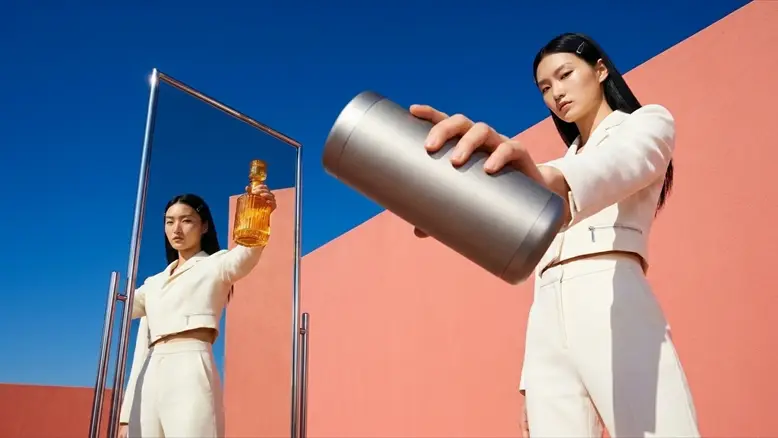
Finding a winning short-form ad format takes weeks of testing. Re-shooting that exact camera rhythm, hand motion, and cut pacing for a new SKU or creator takes even longer—unless you start directly from a reference video.
With PixTV's AI Video Replication tool, you can upload any proven reference clip and rebuild it in one click using two distinct modes: Subject Replacement (swap the person or product while keeping original motion intact) and Creative Replication (preserve the original shot sequence and camera pacing while generating completely fresh visuals).
1. Subject Replacement vs. Creative Replication: When to Use Each
Mode | What Stays Locked | What Changes | Best Use Case |
|---|---|---|---|
Subject Replacement | Hand movement, camera angle, background lighting, timing | The featured product or on-screen talent | Swapping a new SKU into a proven UGC demo or testing localized models |
Creative Replication | Shot sequence, cut rhythm, camera trajectory, pacing | Entire visual world, styling, set design, and aesthetic | Adapting a viral TikTok ad structure into your brand's visual identity |

2. How to Get Clean Subject Swaps Without Hand or Lighting Artifacts
Match silhouette & scale roughly: Swapping a cylindrical speaker for a similarly proportioned glass decanter or serum bottle preserves realistic finger grip and shadow contact far better than swapping a tiny ring for a huge laptop.
Upload a clean, evenly lit replacement asset: Avoid busy cluttered backgrounds on your replacement product photo. If you need a razor-sharp product cutout or studio still first, generate it with our Seedream 5.5 PixTV guide.
Keep reference clips crisp and steady (3–10 seconds): Clean motion without heavy motion blur gives the replication model exact spatial anchors for hands, reflections, and depth.
3. Turning Winning Ad Hooks Into Repeatable Campaigns
Performance marketers rarely need to reinvent editing rhythm from scratch. Start by pulling a high-retention 3-second hook structure—see our AI video ads conversion playbook—upload the reference into AI Video Replication, and generate 3 visual variations in minutes without touching a timeline editor.
Frequently Asked Questions
Does AI Video Replication require editing experience or prompt writing?
No. Upload your reference clip, choose Subject Replacement or Creative Replication, add your replacement photo or brief direction, and generate directly in one click.
Can I combine replicated shots with a full multi-model canvas?
Yes. Use AI Video Replication to nail your hero hook or product swap quickly, then expand into multi-shot sequences on the PixTV AI Video Generator.